
Whether you’ve forgotten the model of your current phone, thinking about buying a new case, checking if your phone can handle the latest software update, or even looking to sell the old phone you've dug out from a drawer, knowing how to find out its make and model is pretty essential. Luckily, it’s super easy to find out! Here’s how to check your phone model on both Samsung and iPhone devices.


What model is my phone? Here’s how to find out!

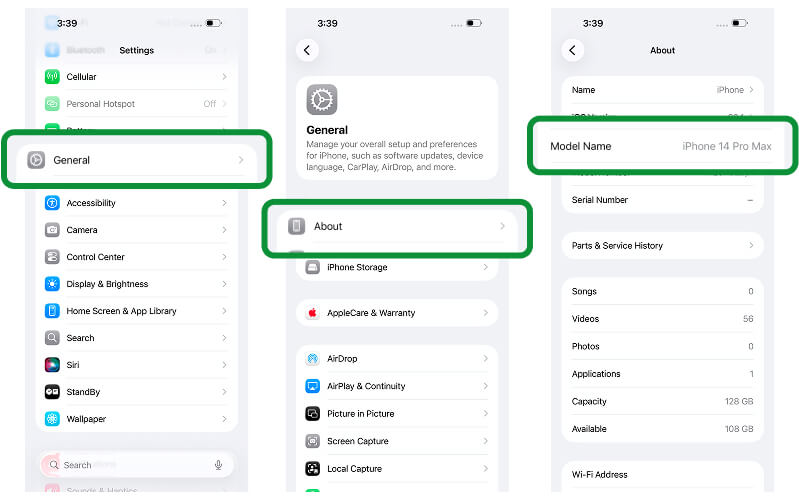
How can I find out what iPhone I have?
1. Go to Settings
2. Tap General > About
3. Look for Model Name and Model Number
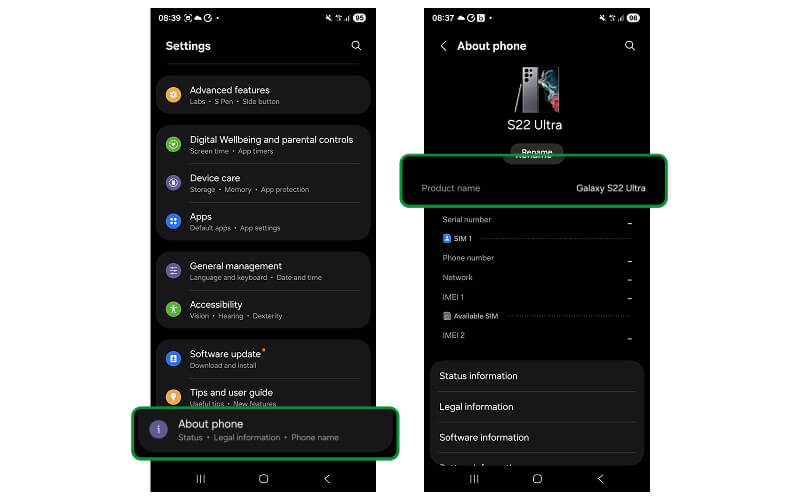

How can I find out what Samsung phone I have?
1. Open Settings
2. Scroll down and tap About Phone
3. You’ll see your phone name and model number displayed

Already factory reset your device?
No problem at all, you can still work out what your device is without having to set it up again.
To find your device’s IMEI or model number after it's been reset, follow these steps:
- iPhone, tap “i” on the activation screen.
- Samsung, tap “Emergency Call” and dial *#06#
You can use these to identify your device on Apple and Samsung.

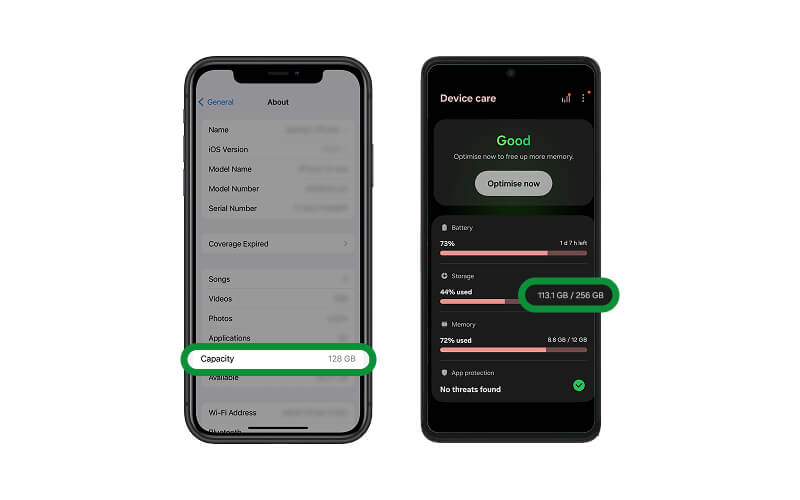
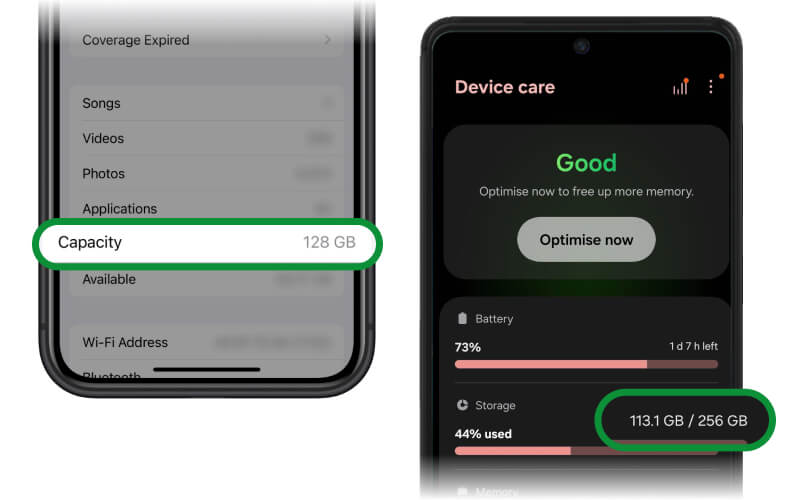
Finding your devices GB after it's been reset?
The easiest way to find out your device’s storage size is by checking the original packaging. If you no longer have the box, you can still find it by briefly setting up the device and heading to the Settings menu.
Apple
Turn the device on and swipe up, then select your language and region and connect to a Wi-Fi network. Continue the setup until you reach the Home Screen, you can skip Face ID, passcodes and Apple ID sign-in then go to Settings > General > About and check the Capacity line.
Samsung
Turn the device on and skip the setup until you can open Settings. Then go to Settings > About Phone and check the Storage/Capacity information.
After checking the storage size, we recommend factory resetting the device again before sending it.
Other ways to identify the device you are selling

Already reset your device?
No problem at all, you can still work out what your device is without having to set it up again.

Look on the back or SIM tray
Some phones have the model number printed directly on the back or inside the SIM tray.
Look on the back or SIM tray
Still asking yourself, “how do I find out my phone model?” Some phones have the model number printed directly on the back or inside the SIM tray.
If you have an iPhone 8 or later, you’ll find the model inside the SIM card tray. Older Samsung and Android phones may have the model listed under the battery (if removable).

Use your IMEI or serial number
Dial *#06# on your phone keypad and your IMEI number will pop up
Use your IMEI or serial number
If you still can’t find it, your IMEI or serial number can help.
How to Find Your IMEI Number:
- Dial *#06# on your phones keypad and your IMEI will pop up
- Check Settings > About Phone
Once you have your IMEI, enter it into your phone manufacturer’s website (like Apple or Samsung) to identify your model.

Check the original packaging
Most smartphones have their IMEI and serial number printed on the original box, usually located above the barcode.
Ready to trade in your device?
Once you’ve identified your device, click below and enter the make and model into the search bar for a free instant evaluation! The quickest way to get paid for your phone is to choose Timpson at the checkout, we'll pay you within 15 minutes via bank transfer after a quick in-store check.